X-Ray training platform for UK baggage screeners
An advanced X-Ray training platform designed to meet EU legislative requirements. It streamlines compliance tracking and simplifies management, modernising aviation security training.
- application
- Web
- in-house design & development
- 100%
- months development
- 2
About the client

TTC provide aviation security and dangerous goods training and consultancy, led by an expert team recognised in the UK and internationally.
Technology
The core platform is built in Go, with the front end in React 18. We made great use of Canvas for the image processing on this project.
X-Ray simulator training is outdated
Going through airport security, you may not have questioned how the people assessing the X-Ray images of your bags are trained.
Well, let me introduce X-Ray simulators!
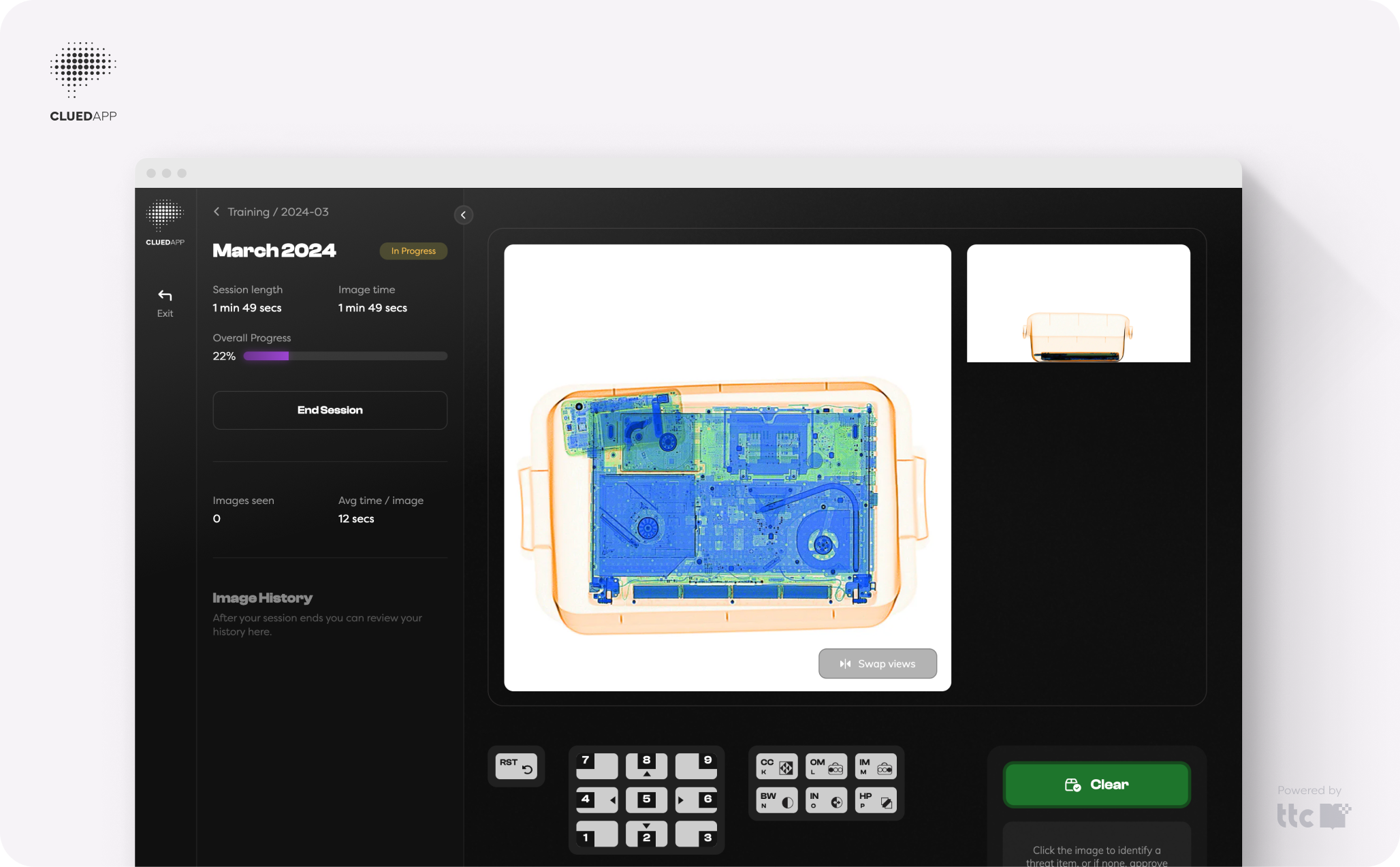
An X-Ray simulator is a piece of software that shows generated X-Ray images, where users are tested on their accuracy in reporting dangerous items. An image will come along, and they have to decide whether it warrants a search or is immediately identifiable as a threat.
These systems, however, like a lot of enterprise software, haven't had a lot of love when it comes to user experience. That's what TTC wanted to change: to build an X-Ray simulator that removes the pain points they've seen through their experience in multiple aviation-security-focused businesses.
Unhelpful reporting
UK & EU law on this type of screening enforces 6 hours of simulator training every 6 months.
This makes it super important to see at a glance whether all of a company's screeners are compliant (see PDF reporting below!).
Outdated user experience
Simulator training is mandatory. Any training we're required to do needs to have as little friction as possible to make it enjoyable.
Paying incredibly close attention to what users and managers want is very important to have a step up on the competition here.
Provide room to grow
TTC had users they wanted to get onto the platform straight away.
Our aim was to build a fully functional system in a short space of time that left space for new features that would arise after getting feedback from the initial user base.
A modern approach to simulator training
Working with TTC, Alex and I designed and built a platform focused on the core goals of our users. For screeners, that's completing their mandatory training. For managers, that's keeping the screeners they manage compliant with the regulations.
Screeners now know exactly how much training they have to complete this month, and get to use a modern platform with icons they recognise from the X-Ray machines they're used to.
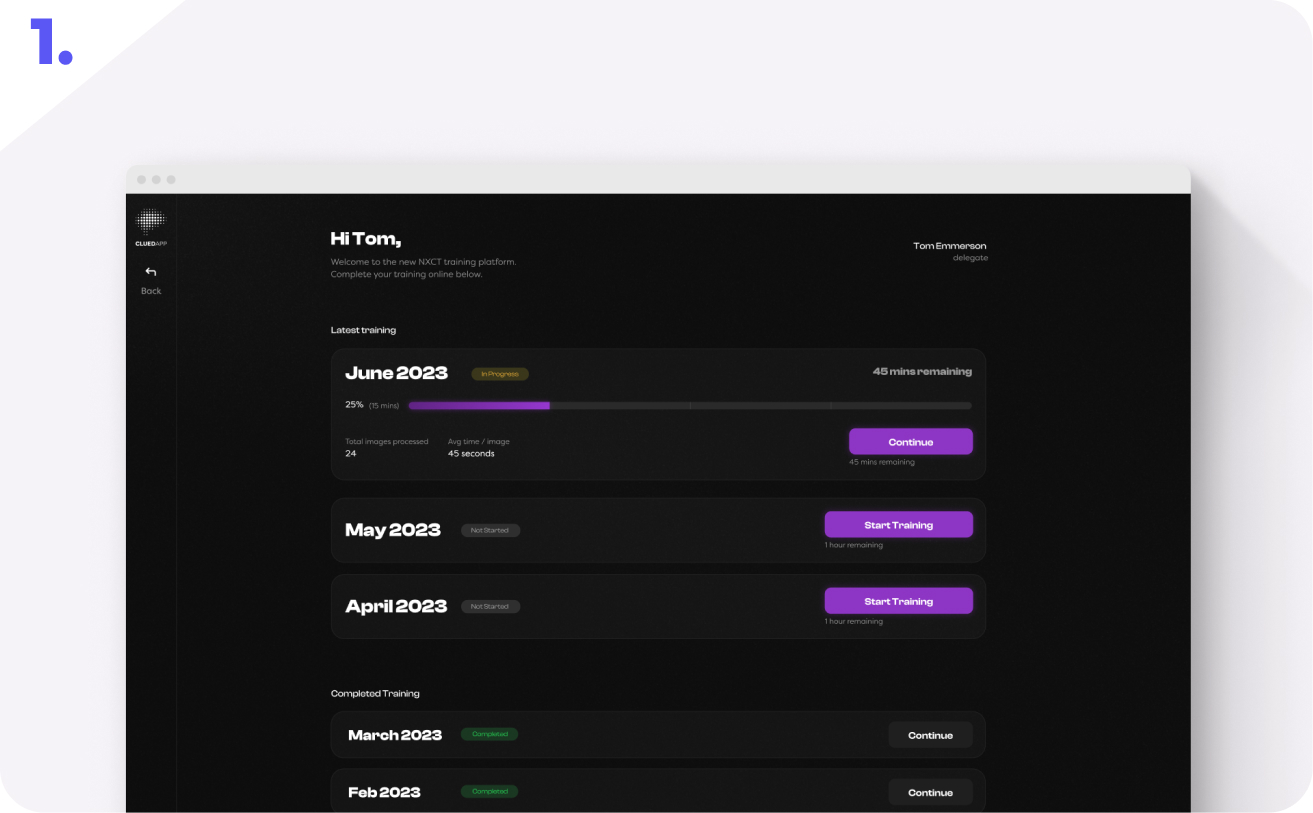
Screeners know how much training to do. The platform keeps screeners compliant by calculating the amount of training they're required to do each month.
Simple training means compliant employees. Users have come here for one thing, to complete their mandatory training, and we're not trying to slow them down! So we tell them exactly where they're going.
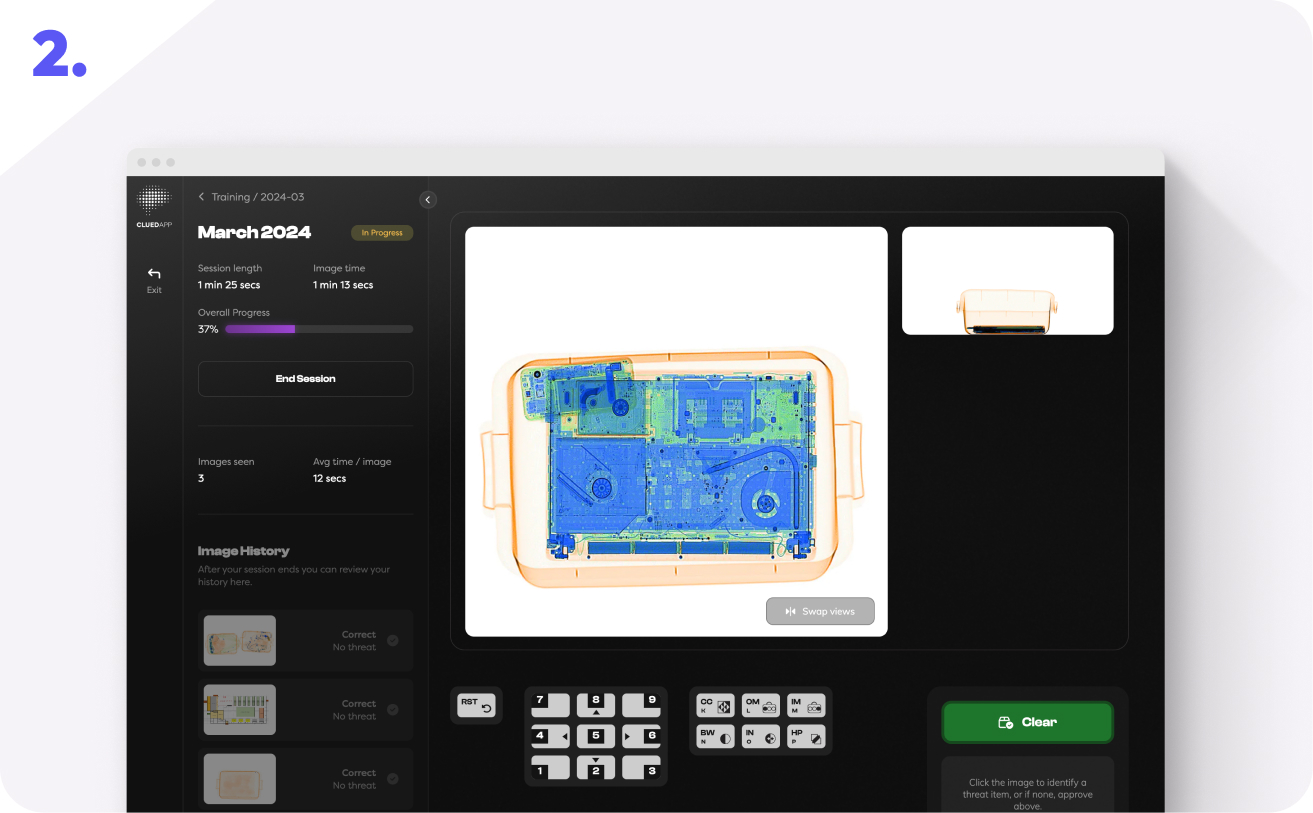
Click to mark threats. Click an image to mark a threat or searchable element.
Check session progress. We keep engagement up by showing progress throughout the session, so users know how much training they have left.
Review images as you go. Screeners get immediate feedback on their past decisions, and can review images at the end of their sessions.
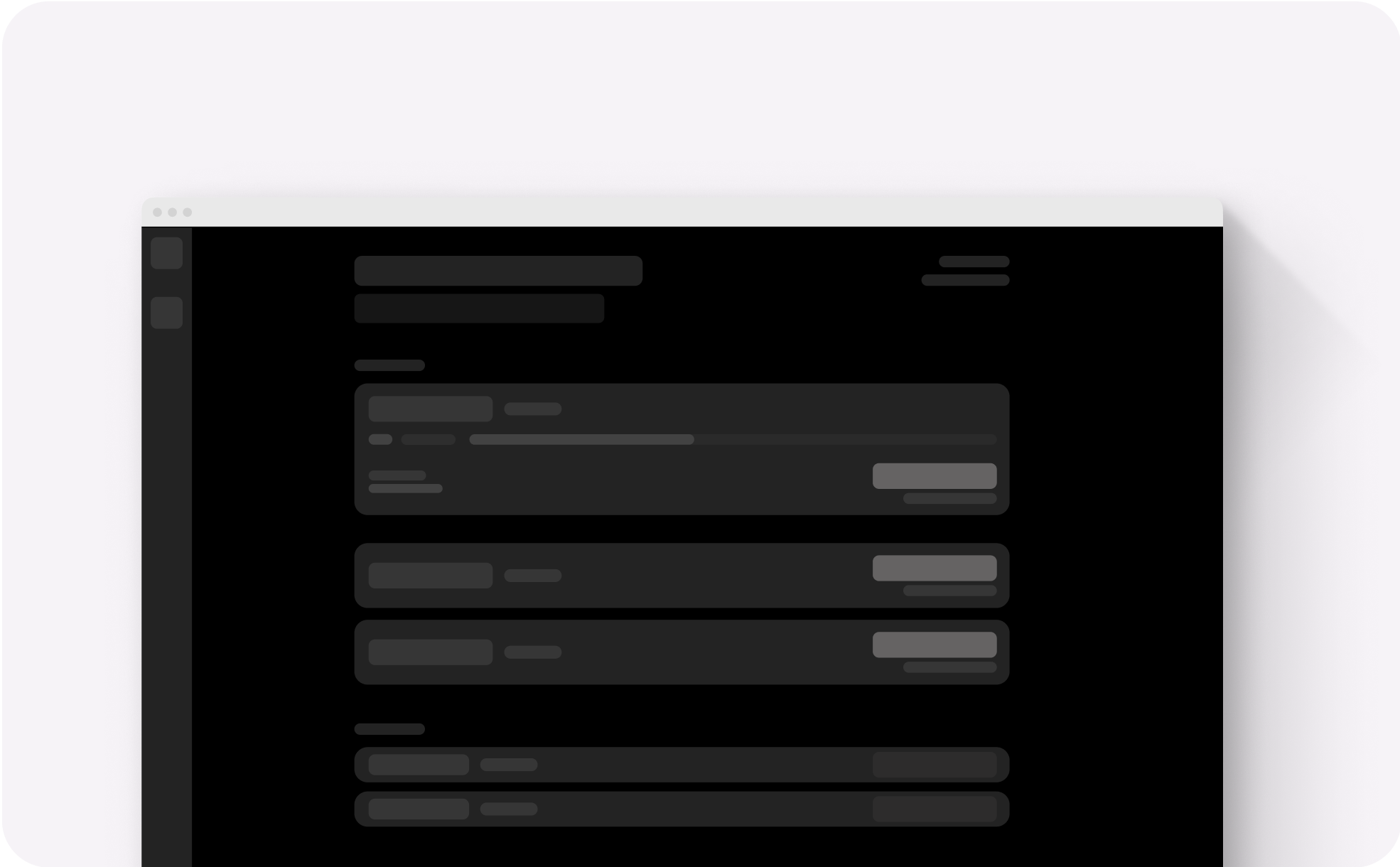
Low-fidelity designs of the user home page
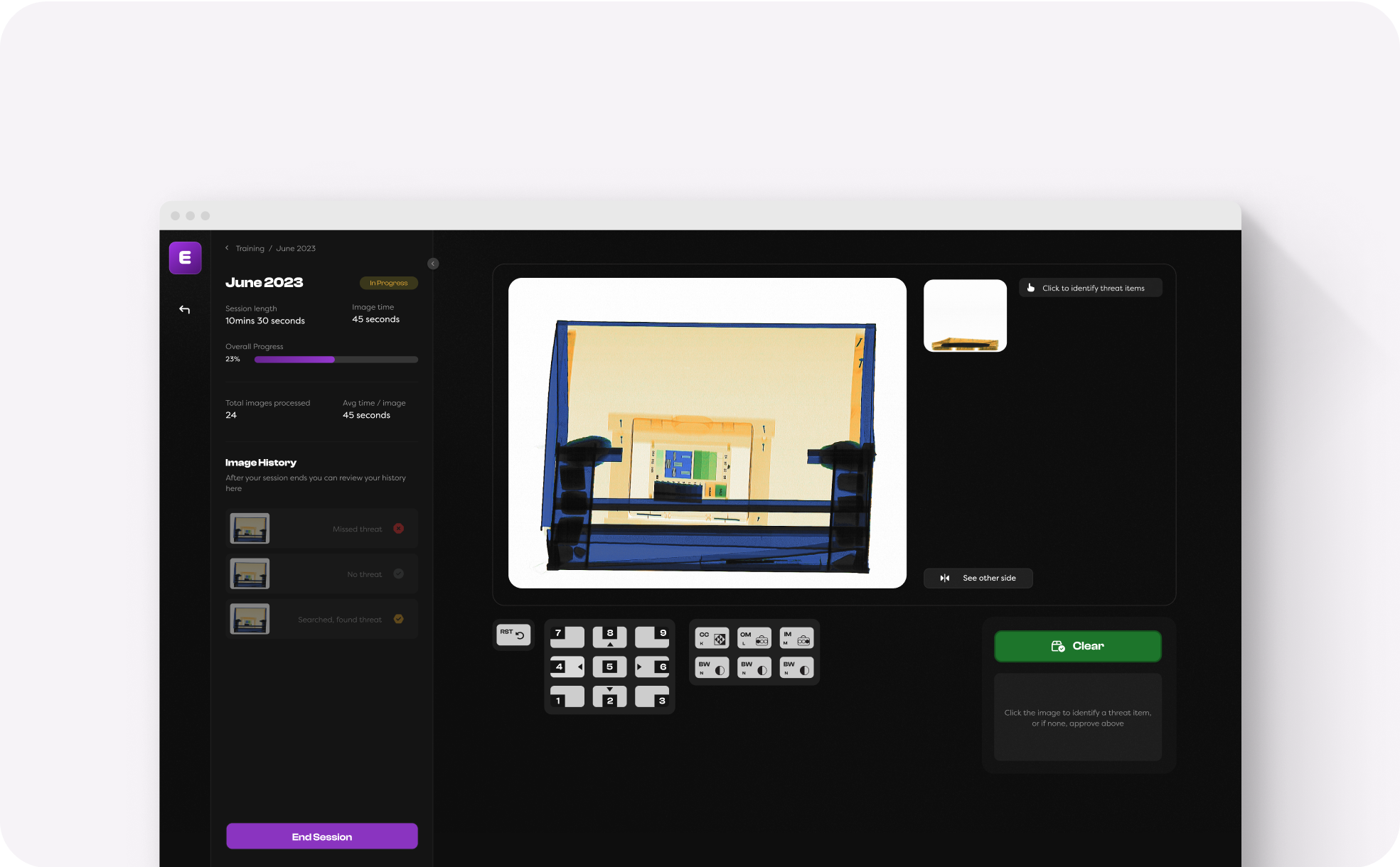
Simulator session UX
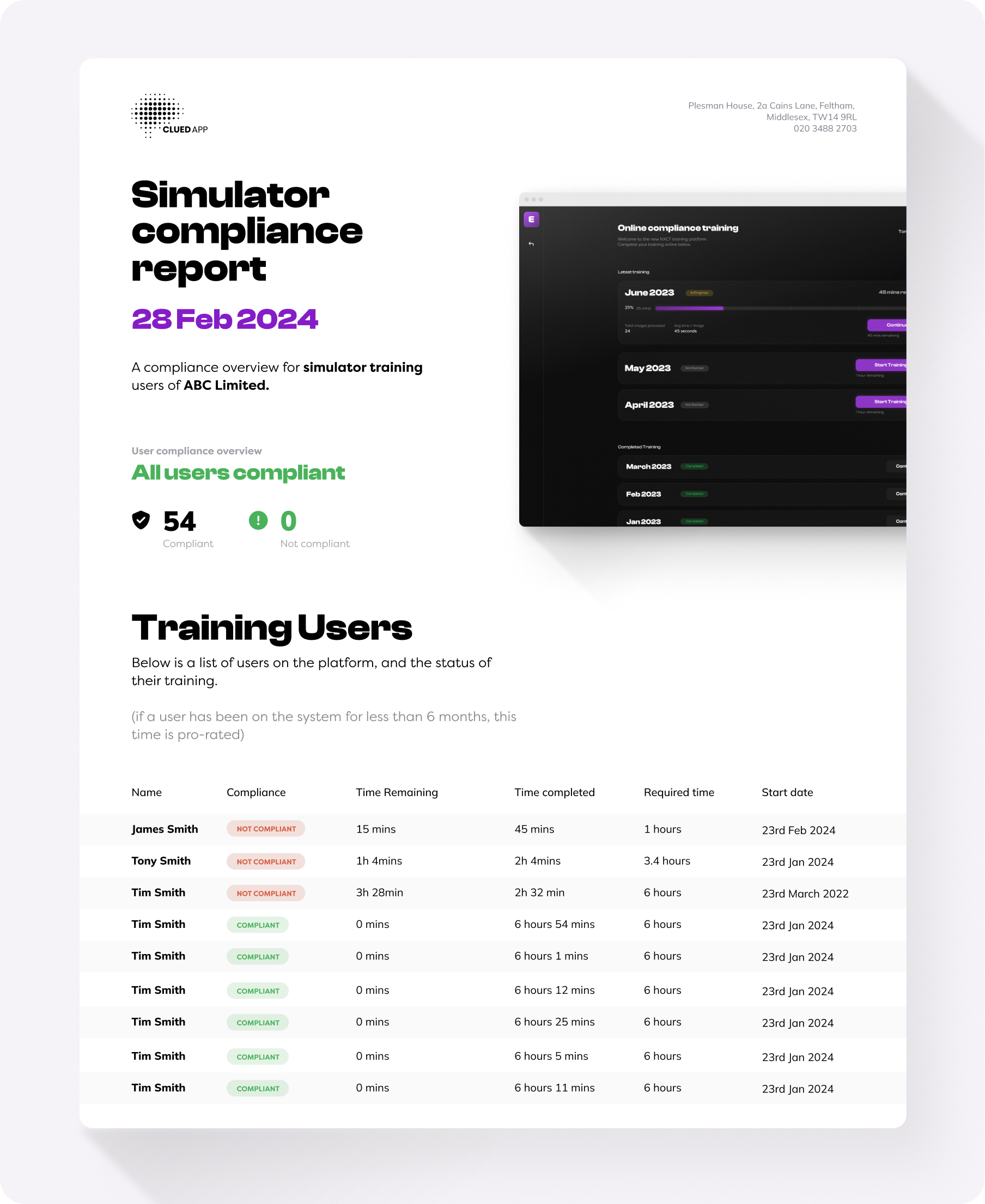
PDF reports. Frequent reporting is vital for a compliance platform. Every month, managers are emailed their PDF compliance report, showing whether their screeners are currently compliant with UK & EU regulations.
Custom data-driven PDF. PDFs are uniquely generated with the data for each company and sent out to the company's managers. They are also branded with the CluedApp logo and designs.
Breakdown per user. Managers get vital information on how much training has been completed by each user. We also calculate whether they are compliant.
Pro-rated time. If a user hasn't completed 6 months of training yet, their 6 hours are pro-rated for the time they have been training (3 hours in 3 months, etc.).
A modern approach to simulator training
Now, next time you're wandering through security at Heathrow, you'll know exactly how X-Ray screeners maintain their training.
Let’s talk about your project
Tell us what you’re trying to achieve and we’ll help you find the right approach.